bursatoto — subject to verification,.
bursatoto Android App Casino with Referral & Tournament Offers
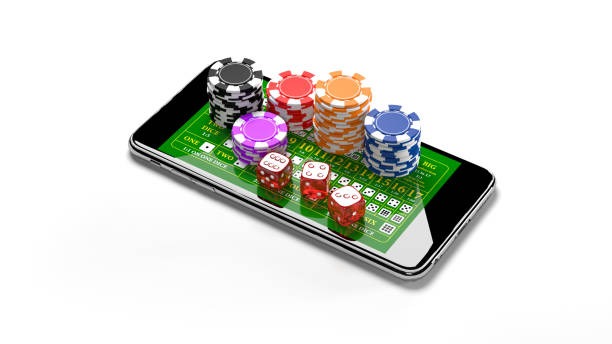
Our Android app brings the full bursatoto experience to your mobile device. Download the app from our site, authenticate with your mobile number, and gain access to live football markets, casino tables, slot games, and esports betting across all major Indonesian payment methods.
- and
- DownloadAPK
- Installin
- SHA256 Match
The app mirrors our web platform but is optimised for touch interaction, faster loading on mobile networks, and seamless session management. You manage your account, make deposits via e-wallet, mobile banking, local payment, online payment, or bank transfer, and track withdrawals from a single interface.
Why Our Android App Matters
Mobile betting in Indonesia has shifted to app-based access. We designed our Android app to work on devices running Android 8.0 and above, supporting both online and offline account verification steps. The app uses encrypted connections and stores your login session securely on your device.
Unlike web-only platforms, our app lets you receive push notifications for live events—Liga 1 match updates, Piala AFF fixtures, and bonus promotions—without keeping a browser tab open. This matters during peak hours when Jakarta, Surabaya, Bandung, and Medan players converge on major tournaments.

The app also integrates our loyalty structure. Your referral link, tier status, and weekly cashback accumulation are visible in your account dashboard. This transparency helps you track how close you are to the next reward tier and which friends have joined via your referral code.
Installation and Setup on Android
Download the bursatoto app by visiting our site's app download section. We provide a direct APK file compatible with Android 8.0 and later. Once downloaded, open the file and tap "Install". Android may ask for permission to install from an unknown source—this is normal and safe.
- Launch the app. The login screen appears. If you have an existing bursatoto account, enter your email and password.
- New user? Tap "Register" and provide an email address, create a password, and confirm your mobile number. You will receive an SMS code to verify ownership.
- Mobile verification. Enter the code from your SMS. This step is mandatory and protects your account from unauthorised access.
- KYC document upload. You may be asked to upload an ID photo (passport, national ID, or driver licence). This step ensures compliance with our terms.
- Deposit method selection. Choose from DANA, e-wallet, mobile banking, local payment, online payment, e-wallet, or direct bank transfer (mobile banking, local payment, online payment, e-wallet). Complete your first deposit to activate your account.
Navigating the App Home Screen
Once verified, the app home screen shows your account balance, active promotions, and quick links to game categories. The bottom navigation bar includes Sportsbook, Casino, Slots, Esports, and Account sections.
Sportsbook: Browse live and upcoming football matches (Liga 1, Premier League, Champions League), badminton, MotoGP, and other sports. Tap any match to view market odds and place selections.
Casino: Access live-dealer tables—blackjack, roulette, baccarat, Dragon Tiger, and multi-camera studios. Tables run continuously and are staffed by professional dealers.
Slots: Choose from games like Aviator, Sweet Bonanza, Gates of Olympus, Fortune Tiger, and Mahjong Ways. Each game displays its return-to-player percentage and betting range.
Esports: Bet on Mobile Legends, Free Fire, and PUBG Mobile tournaments. Esports markets refresh daily with new fixtures and regional competition schedules.
Account: Manage your profile, payment methods, withdrawal requests, referral links, promotion history, and support tickets.



Deposits, Withdrawals, and Payment Methods
Our app supports subject to verification via mobile banking, local payment, online payment, and e-wallet. Select your preferred method, approve the payment on your bank app, and the credit appears in your bursatoto balance within seconds.
Bank transfers (mobile banking, local payment, online payment, e-wallet) and mobile banking take slightly longer—typically 1–2 business hours during office hours. Always double-check the account number and amount before confirming a transfer.
Withdrawals follow the same path in reverse. In your Account section, tap "Request Withdrawal", select your linked payment method, enter the amount, and submit. The withdrawal request enters a verification queue. Processing times depend on your account tier and the payment method chosen. Our support team may contact you if your request requires additional document verification.
- local payment / online payment / e-wallet
- subject to verification and withdrawal to your mobile wallet. Verification usually completes within minutes.
- mobile banking
- Linked to your Shopee account. Same-subject to verification for deposits; withdrawals take 1–2 hours.
- local payment, online payment, e-wallet, mobile banking
- Direct bank transfer. Deposits and withdrawals processed during banking hours, typically 1–2 business days.
- local payment
- QR-code payment standard. Scanned from any online payment-enabled app; settles within 1–2 hours.
Promotions, Cashback, and Tier Progression
We reward regular bursatoto players through a multi-tier promotion structure. When you make your first deposit, you become eligible for our welcome offer—an attractive bonus credited to your account, subject to terms and rollover conditions.
Each week, we calculate your qualifying activity and award cashback to eligible accounts. The exact percentage depends on your tier (Standard, Silver, Gold, Platinum, Diamond). Higher tiers unlock better cashback rates and priority customer support.
How Tier Progression Works
Your tier is determined by cumulative activity over a rolling period. Every time you place a wager on live football, casino tables, slots, or esports, you accumulate activity points. Points add up week by week. Once you reach a tier threshold, you advance automatically. Tiers unlock the following benefits:
- Standard: Basic welcome offer and standard cashback rate.
- Silver: Increased weekly cashback; access to exclusive seasonal promotions.
- Gold: Higher cashback rate; exclusive VIP tournament invitations.
- Platinum: Premium cashback; priority withdrawal processing; dedicated support contact.
- Diamond: Maximum cashback rate; personal account manager; invitations to exclusive events (e.g. Liga 1 VIP betting parlours during Idul Fitri or Idul Adha tournaments).
Referral Programme
In your Account section, locate your unique referral link. Share this link with friends. When they register using your code and make their first deposit, both you and the new player receive a bonus credit. There is no limit to how many friends you can refer. Referral bonuses are credited immediately upon the new player's deposit.
Seasonal and Event-Based Offers
We run special promotions around key events: Liga 1 season fixtures, Piala AFF tournaments, Piala Indonesia runs, MotoGP race weekends, and holiday periods like Idul Fitri, Idul Adha, Imlek, and Nyepi. These offers are announced in advance within the app's promotions feed and may include bonus credit, free wagers on selected markets, or enhanced cashback for that week.
Each campaign has its own terms and eligibility criteria. Read the promotion details carefully before participating. Offers are optional—participation never affects your tier or regular cashback.
Best Practices for App Use
- Keep your bursatoto app updated. Check Google Play Store weekly for new versions with bug fixes and performance improvements.
- Enable two-factor authentication in your Account settings if available. This adds an extra layer of security to your login.
- Log out on shared devices. Always tap the logout button after each session if you use a family tablet or shared phone.
- Monitor your account activity. Review your deposit, withdrawal, and wager history regularly. Contact support immediately if you spot unfamiliar transactions.
- Use strong passwords. Combine uppercase, lowercase, numbers, and special characters. Avoid birthdates or simple words.
- Check support availability. We offer English support via live chat and email. Response times vary but typically fall within standard business hours.
Troubleshooting Common Issues
If you cannot log in, reset your password via the login screen. You will receive an email with a reset link valid for 24 hours.
If deposits fail, check your payment method's balance and ensure you are using the correct withdrawal limit for your card. Some banks block gambling-related transactions by default—contact your bank to whitelist bursatoto's payment processor.
If you do not see a credit after deposit, wait subject to verification then refresh the app. For e-wallets like DANA or e-wallet, the credit is usually instant. For bank transfers, allow 1–2 business hours during weekdays.
If a withdrawal request is delayed, check your Account > Withdrawal History. Requests marked "Pending Verification" mean our team is reviewing your documents. This is routine and typically resolves within one business day.